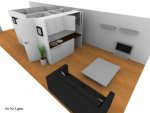
Cheetah3D 4.2 Beta 1

OK ... does the date actually matter, Martin? Or just the time of day? How complex is this routine? :)
 
Martin will probably loose some hair today.:)

Okay, this scene was pretty clear in the last version, I rendered in the new release and everything is quite "grainy" looking. Do I need to make some setting changes to compensate for the changes made to the lights, etc.?
 

Attachments

  • grain.jpg
    grain.jpg
    41.2 KB · Views: 522
Try increasing the number of samples under your Sky Light properties. I have mine set to 32 and it looks pretty good.
 
OK ... does the date actually matter, Martin? Or just the time of day? How complex is this routine? :)

In my brief experience, it's brighter in the summer months, darker in the winter. It probably also depends on the latitude and longitude.
 
Thought I'd post a couple of renders of an old model I have just rendered with 4.2. I like the Sky Light, it took a while to render, but I think it will be useful. I really should finish this model!
 

Attachments

  • 1.jpg
    1.jpg
    88 KB · Views: 485
  • 2.jpg
    2.jpg
    66.1 KB · Views: 486
About pasting objects. I know its not the focus of this beta but its sort of weird behavior. Probably echoing constructive criticism ... here goes ... :smile:

For instance, lets say I have multiple groups in the object tab. Within each group, there is just one generic object.

If I highlight a group and paste a new object then the object appears at the top level right after the group and not in the group folder. Imho, its more intuitive if it went into the group folder that was highlighted. Probably should open the folder too.

I open / close a group folder. This does not select that group folder. Intuitively it should because this is what I clicked on.

I open a group folder. Next, inside that opened group folder I highlight an object. Now, I close the folder. Nothing appears to be selected but I did click on a group to close it. ( that group should be highlighted but the program is secretly selecting the object still ) I paste the new object. Not sure where it goes but it ends up after the last object I selected in some group -- even though no group appeared to be selected/highlighted. Sometimes, I might be doing work in another window. When I come back from the second window, I've lost my frame of reference. So, when I paste its going into some random group folder. Now I have to look through all the groups to find where I pasted.

I think its more intuitive if I click the empty row at the bottom of the objects tab then nothing should be selected. If I click on the object tab at the top, then nothing should be selected. In this null case, when I paste then it goes to the top level.

Just might want to mimic the finder window because thats what most users are accustomed to.
 
Huff, almost done with todays model work. ( giving some feedback too ) Bumped into another issue.

I select four objects and add a uv object tag. No problem.

I drag a material onto the four objects. The four objects get the material.

So far so good...

But that was the wrong material .... so hit undo ...

All the UV tags disappear and the four objects are set to the incorrect material I wanted to undo.

Its almost 5 o'clock coffee time. :smile:
 
Martin

So when it's rendering and you see those 2 little boxed areas that are being filled in ... is that 2 threads running? If so, would it be feasible to allow the user to select how many threads they want to use for rendering? If someone has a more powerful machine, they might want to give Cheetah more processor to work with.

Or is there a reason that there are only 2? :)
 
Martin or anyone else,

How do I go back to 4.0?


This is a test of one area light and one sky light with 64 samples. It is exceptionally grainy, the test with just an area light is far worse. This isn't ready yet imo unless there are render setting changes that need to be made to adjust for the new lighting.
 

Attachments

  • grainy.jpg
    grainy.jpg
    43.8 KB · Views: 459
IDR

I assume you have your Cheetah download around still, right? Just copy the app from there back into your Cheetah dir. I didn't even copy the new one into my real dir, I just ran the .app from my desktop.


But, even still, can you just not use the sky light if you don't like it? This version has a few other nice features beyond the lighting.
 
The area lights are causing the grain too - it's not usable for me like this.

I don't remember how I installed the program? I'll have to look in my folder.

Edit: 4.0 is still in my applications, so I can go back.
 
Last edited:
Hi,
area lights in Cheetah3D 4.0 are much more grainy then in 4.2. At least compared to the same calculation time.
Even although I would consider your rendering already as quite smooth you can still easily increase the quality. Just increase the samples property of the light objects. The more samples the exacter the solution becomes.

Bye,
Martin
 
Hi,
one more thing. The reason why the old area lights might look less grainy in some scenes is the fact that they where not physically correct. They worked like a point light for shading and like a area light for shadows.

The area lights in 4.2 are physically correct now. The advantage is that they looks much more natural now. The downside is that they might incorporate some extra noise.

But all in all the new area lights are much better than the old.

Bye,
Martin
 
Martin

So when it's rendering and you see those 2 little boxed areas that are being filled in ... is that 2 threads running? If so, would it be feasible to allow the user to select how many threads they want to use for rendering? If someone has a more powerful machine, they might want to give Cheetah more processor to work with.

Or is there a reason that there are only 2? :)


Just start Cheetah3D one a Quad or Octo Mac and you will see 4 or 8 buckets working.:smile: Cheetah3D detects the CPU count by itself.
Bye,
Martin
 
Martin with all due respect are you blind! :smile: :wink: This is 4.0. There are no little white blotchy grainy spots all over it like there are in 4.2. Both tests are no adjustments to any lights other than intensity.
 

Attachments

  • 4.0.jpg
    4.0.jpg
    18.4 KB · Views: 454
Martin with all due respect are you blind! :smile: :wink: This is 4.0. There are no little white blotchy grainy spots all over it like there are in 4.2. Both tests are no adjustments to any lights other than intensity.

No I'm not blind of course and I can see that noise. But the noise freeness in the 4.0 rendering is just caused by the fact that the 4.0 area lights were not physically correct. They illuminate like a point light. And then the shading is of course totally noise free.

But please have a look on the area light renderings in this thread

http://cheetah3d.de/forum/showthread.php?t=1760&page=2

and then I'm sure you have to admit that the area lights did a great progress.

Bye,
Martin
 
Just start Cheetah3D one a Quad or Octo Mac and you will see 4 or 8 buckets working.:smile: Cheetah3D detects the CPU count by itself.
Hmm, so is there no advantage to running more than one rendering thread on a CPU?
 
Thank you. It would have been good if you would have said from the start that you will need to increase the samples for the new light systems to get the same results.
 
Back
Top