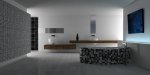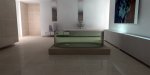
How to do this with Cheetah?

Messages
1,102
How to do this with Cheetah?

I am very interested in achieving the look of his final render in this post of the bathroom. I know we don't have the same parameters in cheetah namely adding extra bounces in the radiosity - I also know that increasing the "intensity" is supposed to achieve the same results but it just doesn't look the same to me. Can someone lead me to the answer of setting up the render engine to achieve this kind of result?

http://forums.luxology.com/discussion/topic.aspx?id=27291
 
Dear IDR

there is a thread on this forum about modo lighting ( the one where you posted a kitchen pic you liked)

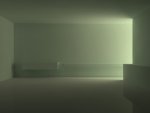
did a v quick test with 400 samples 4 scatterings, radiosity and 16 sample area light and getting close to the example you mentioned.

I think your getting hung up on modo for the examples you show, which is good, as it's always nice to to compare.

But I have been looking at all the competition, and a lot of it's done to manipulation of the software.

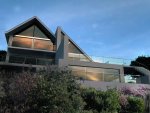
I also post this building that I did ages ago and redid with in 4.6 and I can't find a lot of other software out there, that would make a much better job of it.

Stick with Cheetah and carry on experimenting, your doing good stuff with it

see herewith

regards

Luke
 

Attachments

  • test.jpg
    test.jpg
    17.3 KB · Views: 798
  • mewstone2008.jpg
    mewstone2008.jpg
    85 KB · Views: 783
Last edited:
Thanks Luke, nice job.

Believe me I don't want to spend $900.00 if i don't have to!

The thing about Cheetah and sometimes it's a draw back is it's simplicity. There are tons of tutorials around the web such as the link I posted but they don't transfer to Cheetah at least in this case because the parameters aren't in the software.
 
Hi, I came up with this. I've attached the scene. Maybe it can help. It's a very easy setup similar to Luke's.

Regards,

Peter
 

Attachments

  • bathroomIDG.zip
    9.7 KB · Views: 564
  • bathroomIDG.jpg
    bathroomIDG.jpg
    47.3 KB · Views: 768
Thanks Peer and Luke again. Looks great Peer.

I think my import settings are causing me problems? I don't get those results with my SU model imported at 1:1 - I'll try and import at .010 instead and see if that doesn't get closer.
 
Glad I could help (well a little :) )

If you are drawing in meters in SU you can import it 1:1. If you work in millimeters (like I do) you import it in Cheetah 0.001:1 (1 unit equals 1000mm). You can also export from SU as an .3ds file set the export settings to export as meters and import 1:1 in Cheetah.

Regards,

Peter
 
This is America damn it we don't need no stinking meters! :wink: That's a joke. :)

I draw in feet and inches but when I import at 1:1 a Cheetah unit is about 2" - not good
 
Dear IDR

Had a quick crack at that picture and without spending time on the materials I got a fair result with just a little colour correction in PS.

herewith the .jas file (without bath and tap to keep the file size down) and pic

hope this helps

Regards

Luke
 

Attachments

  • test1.jpg
    test1.jpg
    46.9 KB · Views: 766
  • bathroom.zip
    85.7 KB · Views: 534
hello.

I tried too.

* samples: 1200 / diffuse scatterings: 4 / error min.: 1.0 / error max.: 200.0 (resolution width * 0.1)
* area light and week ambient light

more samples are getting more smooth render.

regards.

tg_jp, Hiroto.
 

Attachments

  • room_s.jas.zip
    45.7 KB · Views: 561
Well, thanks so much everyone.

It's interesting that all three of you have totally different solutions. Peer wins for render speed and quality on this round. I'm making a test using Tg's model and some settings from Peers scene. I'll post it when I'm finished.
 
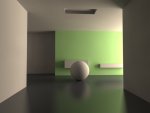
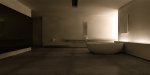
Here is a quick test of a composite scene of all of your techniques. Color adjusted in iphoto.

Needs more radiosity samples to clean it up.
 

Attachments

  • test.jpg
    test.jpg
    39.3 KB · Views: 537
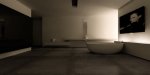
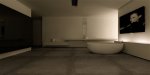
Hour and a half at 1000x500 - iphoto'd a bit and could use some clean up in photoshop. Otherwise it's looking pretty good I think. The other guys work is the second image.
 

Attachments

  • test.jpg
    test.jpg
    40.8 KB · Views: 534
  • boffiexrdr0-1.jpg
    boffiexrdr0-1.jpg
    66.8 KB · Views: 586
Last edited:
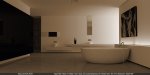
Okay, this is my last pass and it still could use a little photoshop clean up. Thanks for the help everyone.
 

Attachments

  • bath-fnl-iphoto.jpg
    bath-fnl-iphoto.jpg
    43.2 KB · Views: 529
Thanks for all the help again Peer.

After doing this I can see having radiosity "bounces" like in Modo would really be a great addition to Cheetah. You really notice it in the left hand corner of my/our image vs the Modo render.
 
hi,

nice render!

After doing this I can see having radiosity "bounces" like in Modo would really be a great addition to Cheetah. You really notice it in the left hand corner of my/our image vs the Modo render.

I think, Modo's 'bounces' and Cheetah3D's 'diffuse scatterings' are ALMOST same parameter to work for radiosity (not AO).

p.s. I post another render of this scene at 'Gallery' board. please check it.

regards.

tg_jp, Hiroto.
 
Here is my go at this: Modeled in cheetah and rendered in modo
 

Attachments

  • wc_1.jpg
    wc_1.jpg
    96.5 KB · Views: 486
Dear nmpg

not sure what point you are making here ?

The thread seem to start with a picture IDR found in modo and we all had a crack at doing a similar pic in cheetah.

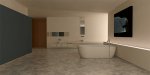
So here's the model I did with a bath modelled in cheetah and rendered in cheetah in a moody modo type version... :)

Regards

Luke
 

Attachments

  • test2.jpg
    test2.jpg
    119 KB · Views: 436
Last edited:
Back
Top