Tree Problems

TerryG

0
Messages
2,496
Tree Problems

Hi guys, can anybody tell me if I'm doing something wrong here? Why the trees / brushes look so dull? They look fine in Photoshop. By setting the Emission to bright green on the Alpha panel the trees become bright but the Alpha panel also turns bright green. I've tried everything I can think of, so I was just wondering if I'm missing something obvious?:confused:

Cheers
TerryG
 

Attachments

  • bg.jpg
    bg.jpg
    92.9 KB · Views: 668
  • Picture 1.png
    Picture 1.png
    141.4 KB · Views: 623
  • Picture 2.png
    Picture 2.png
    34.5 KB · Views: 615
  • Picture 3.png
    Picture 3.png
    41.1 KB · Views: 601
Two things come to mind: Angle of light source - seems the light source is behind the planes.
And a radiosity/radiosity tag could brighten it up.

Cheers
Frank
 
Two things come to mind: Angle of light source - seems the light source is behind the planes.
And a radiosity/radiosity tag could brighten it up.

Cheers
Frank

Thanks Frank, that certainly helped. Although I can't help but feel the trees look a bit stuck on. But what can you do? I tried so many times to create a tree in Cheetah, just cartoony looking, but it never seems to work. And I've already asked on the forum, and I think the answer was, it's not going to happen. Apart from a simple cone I guess.
 
Colors!

Hi. Looking at your attached image, it looks like the style of your trees are realistic and the style of everything else is brightly colored and simplified. Could you try playing with the color and style in the Photoshop image--perhaps posterizing and/or super saturating the color? I really like those bright colors and the trees might live there happily if the source image had a similar look.
 
But what can you do? I tried so many times to create a tree in Cheetah, just cartoony looking, but it never seems to work. And I've already asked on the forum, and I think the answer was, it's not going to happen. Apart from a simple cone I guess.

Well - there are more options I guess.;)
Just a very quick hack.

Cheers
Frank
 

Attachments

  • CartoonyTree.jpg
    CartoonyTree.jpg
    38.7 KB · Views: 604
Well - there are more options I guess.;)
Just a very quick hack.

Cheers
Frank

I agree Technokitty, that's the struggle. But I'll keep working on it till it's right.

Actually Frank that's pretty cool. I'm thinking some spotty texture on the green might do the trick. Can I ask you how you came up with that shape? Is it a polyhedra? Then you did something to it?

Thanks
Terry
 
Can I ask you how you came up with that shape? Is it a polyhedra? Then you did something to it?
It´s too banal; take a box and set SubDiMo to level 1 and make editable, select all polygons and extrude (uncheck: preserve group) one time.
Now select about every second topmost polygon, expand selection one time and make a normal scale to decrease the size of the selection.
Throw in SubDiMo and go for further tweaking if you like.

Cheers
Frank
 

Attachments

  • CartoonyTree4U.jas.zip
    7.2 KB · Views: 430
It´s too banal; take a box and set SubDiMo to level 1 and make editable, select all polygons and extrude (uncheck: preserve group) one time.
Now select about every second topmost polygon, expand selection one time and make a normal scale to decrease the size of the selection.
Throw in SubDiMo and go for further tweaking if you like.

Cheers
Frank

Thank you, Frank. I learn something new everyday. I never knew about (uncheck: preserve group). You wouldn't believe the time I've gone the long long way around that problem. So easy when you know how, or when you know you. :)
 
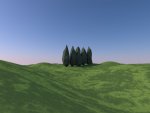
cypresses

From the octahedron, array, some transforming ,crumpling and a bump map these cypresses emerged...

cypress.jpg
 
Tree Update

With all the trial and effort guys, the tree stands out like a sore thumb. Strange the bump map didn't show up in the scene, I guess the lights? But all can be corrected in Photoshop. But thanks Frank, it's a tough one dude. Martin can we have some trees please?

Thanks Archie, but is supposed to look like Ireland, although it doesn't much yet, but I'll work on that later. Just testing the outdoors at the moment. :)
 

Attachments

  • bg.test2.jpg
    bg.test2.jpg
    113.8 KB · Views: 598
  • Pictur0e 1.png
    Pictur0e 1.png
    45.7 KB · Views: 595
...but is supposed to look like Ireland...

... then there are probably goblins living in the hills messing up the colors. :tongue:
I don't know much about irish mythology but would recommend to put a glass of milk or something next to the mac overnight and maybe tomorrow the little people have fixed everything !

Cheers,
Archie
 
Have you tried Arbaro?

Open source (free) tree generator (written in java)
I played with it for a while, very capable of nice output, once you get the hang of the interface.
http://arbaro.sourceforge.net/


Something I did in c3d (export via obj) playing around.
C3dArbTreeCmp.jpg
 
Nice spooky scene.:icon_thumbup:

I´m in doubt how Terry can benefit from Arbaro for his cartoony approach.
Building a simple tree is not too much effort:p

Cheers
Frank
 

Attachments

  • SimpleTrees.jpeg
    SimpleTrees.jpeg
    56.6 KB · Views: 1,310
Thanks guys. I'm thinking it needs to be more like this. Which brings me right back to the beginning really. Oh boy. Maybe if the scene is constructed in Photoshop it will work. Not in Cheetah. Just build the pieces in Cheetah.
 

Attachments

  • Picture 1.jpg
    Picture 1.jpg
    98.3 KB · Views: 1,148
Leaves and stuff

I have no idea how to use this java command line stuff but looking at their page it looks like Arbaro could be a way to go.

Sadly Dryad is not available at the moment; Robert has a Blender script solution working.

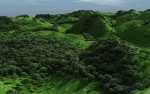
Many users of this forum (Uncle, Luke, SurfingAlien, me) actually have bought and use Vue because of this very tree problem, either to import plants into cheetah or cheetah models into Vue.

valley2.jpg
 
Archie, if you are referring to arbaro; there is no command line work required.
download it -here- at sourceforge
safari will unpack the zip (unzip by double clicking if it doesn't)
open the arbaro_1_9_8 folder, and then double click the arbaro.jar file
(and you can move the arbaro_1_9_8 folder where ever you want it)

you will need to set the prefs to default export to obj (or do it every time you export a model)

I agree the blender -tree from curves- script is sweet!. Basically you craft the main trunk and primary branches and it generates the secondary (and up) branches and leaves. It is what I use to generate tree geometry most of the time (a high degree of control, you really model the tree rather than just generate it)

My feeling is -given some post generation geometry work-, either the blender script or arboro could generate, profesional, high quality cartoonish (pseudo-real... a la bugs life) trees. The blender script offers more control and a more hands on, handcrafted (rather than numerically generated) approach. arboro would be faster (both to learn, and also in time to create a tree) and wouldn't require learning how to use blender (not a trivial task)
Both are free so it is just your time involved, if you have some slack time check them both out.
 
Archie, if you are referring to arbaro; there is no command line work required.
download it -here- at sourceforge
safari will unpack the zip (unzip by double clicking if it doesn't)
open the arbaro_1_9_8 folder, and then double click the arbaro.jar file
(and you can move the arbaro_1_9_8 folder where ever you want it)

you will need to set the prefs to default export to obj (or do it every time you export a model)

WmH,
thanks SO MUCH for this hint.
When I googled *arbaro tutorial mac* I found some command line related stuff and was scared away, not being aware that a .jar file can be directly executed.
Now you helped me create my first cheetah tree WITH LEAVES (not yet postable)!


@ Terry:

Give it a try, with no curves and big leaves you should be able to create a regular, cartoony shape similar to your picture, and the leaves come in a separate object and already shaped, easy to texture with no need for transparency maps!
 
Excellent! looking forward to some clothed trees. :wink:

I remembered this, wanted to post it. It was a background for an illustration (so it is intentionally "illustrated" looking), the tree geometry & leaves are arboro generated (and basically untouched) so it seems appropriate to our "pseudo real/cartoon" tree thread.

ArbaroSample.jpg
 
Excellent! looking forward to some clothed trees.

Actually I ran into problems, the first tree did finish, now the second one always disappears when I try to enter a split value at level 0.
Do you have experience with bugs and how to avoid them or can point me to some tutorial ?
Nice image by the way, I hope Terry can profit from this.
Thanks,

Archie
 
Actually I ran into problems, the first tree did finish, now the second one always disappears when I try to enter a split value at level 0.
Do you have experience with bugs and how to avoid them or can point me to some tutorial ?
Nice image by the way, I hope Terry can profit from this.
Thanks,

Archie

put a split angle in? the default (0) will only work for no splits

P.S. Oh, and no, unfortunately i don't know of any good arbaro tutorials and I am by no means an arbaro expert (I only use it occasionally, as I said I mostly use the blender Tree from curves (python) script.)
 
Last edited:
Back
Top